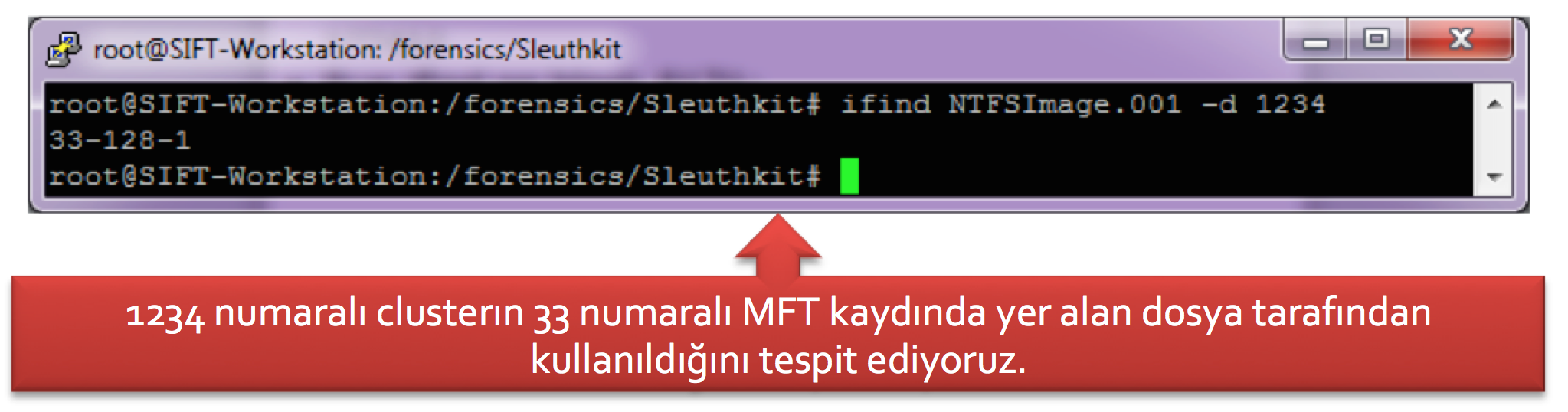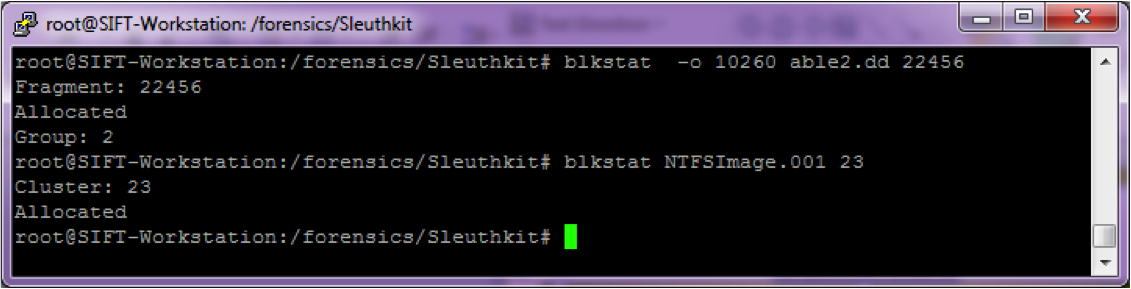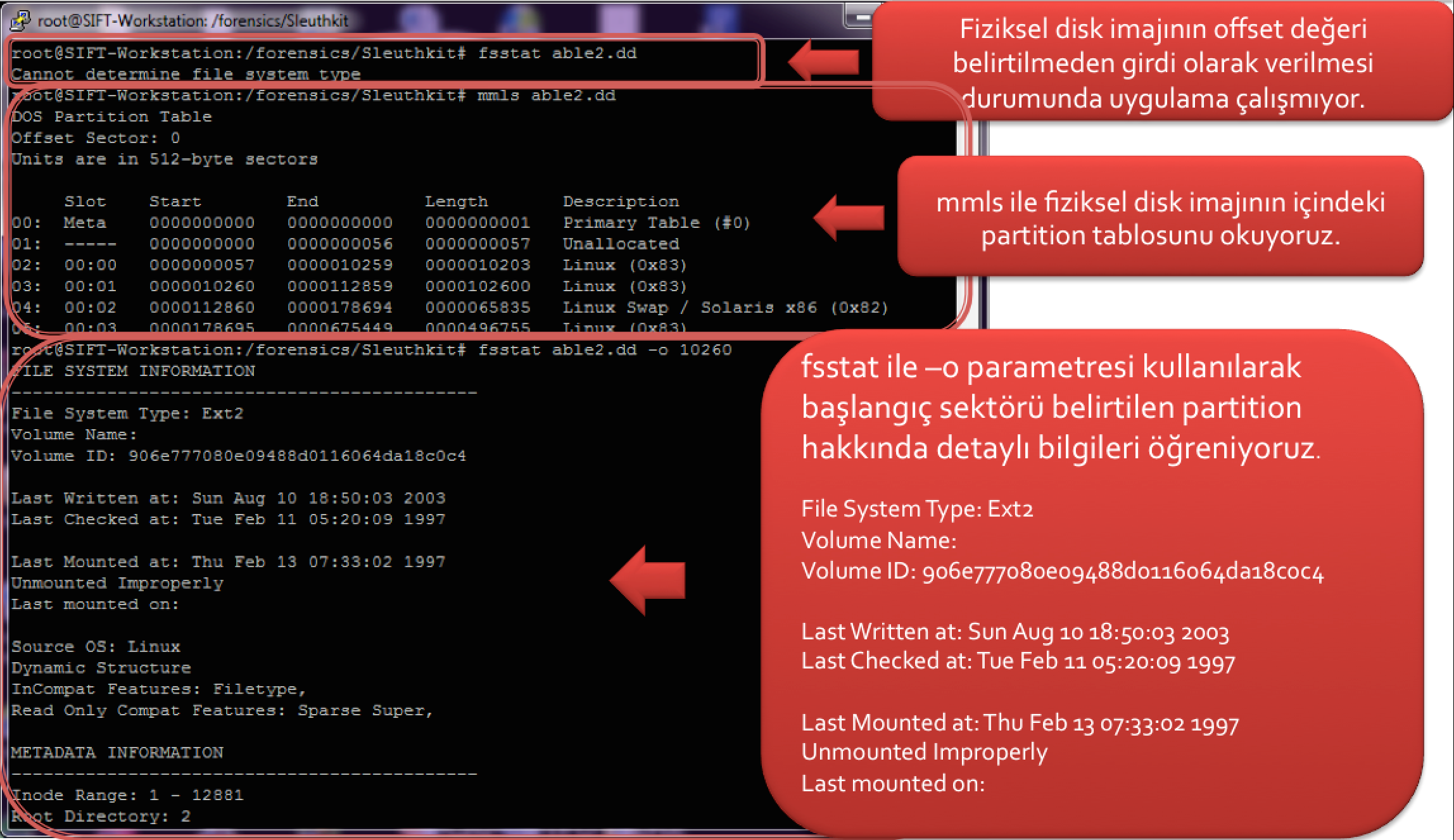
Yazımızın ilk kısmında adli bilişim incelemelerinde dosya sistemi seviyesinde analiz yapmamıza imkan tanıyan The Sleuth Kit (TSK) uygulamalarından kısaca bahsetmiş, detaylarını sonraki makalelerde ele alacağımızı belirtmiştik. İlk makaleyi okumayanlar http://halilozturkci.com/adli-bilisim-the-sleuth-kit-tsk-ile-file-system-forensics-1/ adresini ziyaret edebilirler. Şimdi bu araç kiti içindeki uygulamaların detaylarına bakalım.
fsstat uygulaması dosya sistemi hakkında genel istatistiki bilgiler verir ve bu uygulamanın çıktısı dosya sisteminden dosya sistemine göre farklılık gösterir. Parametre olarak sadece ilgili imaj dosyasının adını alır. Eğer girdi olarak verilen imaj dosyası bir fiziksel disk imajı ise bu durumda mmls ile ilgili disk imajı içindeki partition tablosu okunmalı ve hangi bölüme ilişkin istatistiki bilgiler öğrenilmek isteniyorsa –o parametresi ile başlangıç sektörü offset değeri olarak belirtilmelidir. Aşağıdaki ekran görüntüsünde ilk aşamada fsstat uygulamasına girdi olarak bir disk imajı verilmiş ve bunun sonucunda fsstat uygulaması dosya sistemini belirleyemediğini gösterir bir hata mesajı üretmiştir. Sonrasında mmls uygulaması ile disk imajının bölüm tablosu okunmuş ve bir sonraki aşamada detayları öğrenilmek istenen disk bölümü -o parametresi ile belirlenerek detaylar elde edilmiştir.
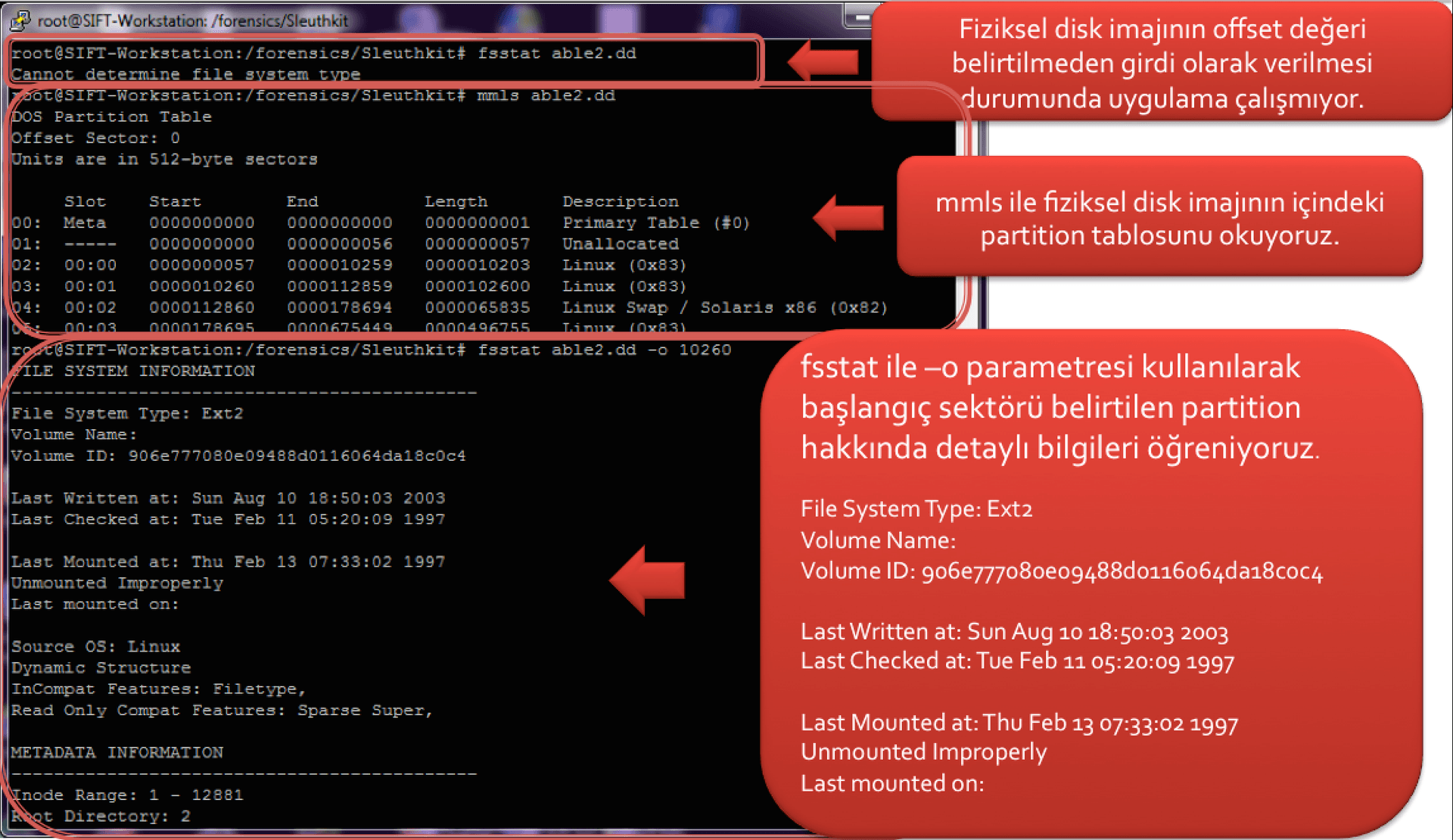
Yukarıdaki çıktının tam hali aşağıdaki tabloda yer alıyor. Görülebileceği üzere ilgili disk bölümüne en son ne zaman yazıldığı, ilgili disk bölümünün en son ne zaman mount edildiği, düzgün şekilde unmount edilip edilmediği gibi bilgilerin yanında, disk bölümünde kullanılan blok boyutu, kaç blogun boşta olduğu, disk bölümünde kaç inode olduğu, bunların kaçının boşta olduğu ve kaç blok grubunun olduğu gibi bilgiler de yer alır.
1sansforensics@siftworkstation:~/Desktop$ fsstat -o 10260 able2.dd 2 FILE SYSTEM INFORMATION3 ——————————————–4 File System Type: Ext25 Volume Name: 6 Volume ID: 906e777080e09488d0116064da18c0c47 Last Written at: 2003-08-10 18:50:03 (UTC)8 Last Checked at: 1997-02-11 05:20:09 (UTC)9 Last Mounted at: 1997-02-13 07:33:02 (UTC)10 Unmounted Improperly11 Last mounted on: 12 Source OS: Linux13 Dynamic Structure14 InCompat Features: Filetype, 15 Read Only Compat Features: Sparse Super, 16 METADATA INFORMATION17 ——————————————–18 Inode Range: 1 – 1288119 Root Directory: 220 Free Inodes: 580721 CONTENT INFORMATION22 ——————————————–23 Block Range: 0 – 5129924 Block Size: 102425 Reserved Blocks Before Block Groups: 126 Free Blocks: 951227 BLOCK GROUP INFORMATION28 ——————————————–29 Number of Block Groups: 730 Inodes per group: 184031 Blocks per group: 819232 Group: 0:33 Inode Range: 1 – 184034 Block Range: 1 – 819235 Layout:36 Super Block: 1 – 137 Group Descriptor Table: 2 – 238 Data bitmap: 3 – 339 Inode bitmap: 4 – 440 Inode Table: 5 – 23441 Data Blocks: 235 – 819242 Free Inodes: 789 (42%)43 Free Blocks: 4601 (56%)44 Total Directories: 1645 Group: 1:46 Inode Range: 1841 – 368047 Block Range: 8193 – 1638448 Layout:49 Super Block: 8193 – 819350 Group Descriptor Table: 8194 – 819451 Data bitmap: 8195 – 819552 Inode bitmap: 8196 – 819653 Inode Table: 8197 – 842654 Data Blocks: 8427 – 1638455 Free Inodes: 1542 (83%)56 Free Blocks: 33 (0%)57 Total Directories: 1358 Group: 2:59 Inode Range: 3681 – 552060 Block Range: 16385 – 2457661 Layout:62 Data bitmap: 16385 – 1638563 Inode bitmap: 16386 – 1638664 Inode Table: 16389 – 1661865 Data Blocks: 16387 – 16388, 16619 – 2457666 Free Inodes: 0 (0%)67 Free Blocks: 1813 (22%)68 Total Directories: 1269 Group: 3:70 Inode Range: 5521 – 736071 Block Range: 24577 – 3276872 Layout:73 Super Block: 24577 – 2457774 Group Descriptor Table: 24578 – 2457875 Data bitmap: 24579 – 2457976 Inode bitmap: 24580 – 2458077 Inode Table: 24581 – 2481078 Data Blocks: 24811 – 3276879 Free Inodes: 746 (40%)80 Free Blocks: 2379 (29%)81 Total Directories: 7682 Group: 4:83 Inode Range: 7361 – 920084 Block Range: 32769 – 4096085 Layout:86 Data bitmap: 32769 – 3276987 Inode bitmap: 32770 – 3277088 Inode Table: 32773 – 3300289 Data Blocks: 32771 – 32772, 33003 – 4096090 Free Inodes: 0 (0%)91 Free Blocks: 0 (0%)92 Total Directories: 1093 Group: 5:94 Inode Range: 9201 – 1104095 Block Range: 40961 – 4915296 Layout:97 Super Block: 40961 – 4096198 Group Descriptor Table: 40962 – 4096299 Data bitmap: 40963 – 40963100 Inode bitmap: 40964 – 40964101 Inode Table: 40965 – 41194102 Data Blocks: 41195 – 49152103 Free Inodes: 969 (52%)104 Free Blocks: 545 (6%)105 Total Directories: 4106 Group: 6:107 Inode Range: 11041 – 12880108 Block Range: 49153 – 51299109 Layout:110 Data bitmap: 49153 – 49153111 Inode bitmap: 49154 – 49154112 Inode Table: 49157 – 49386113 Data Blocks: 49155 – 49156, 49387 – 51299114 Free Inodes: 1761 (95%)115 Free Blocks: 141 (6%)116 Total Directories: 18117 sansforensics@siftworkstation:~/Desktop$Yukarıdaki tabloda yer alan bilgiler fsstat'ın örnek bir ext2 dosya sistemi üzerinde çalıştırılması sonucunda elde edilen bilgilerdir. Eğer fsstat'ı bir NTFS dosya sistemine sahip disk bölümünde çalıştırırsak aşağıdaki tabloda yer alan bilgiler çıkar karşımıza. Buradaki bilgilere baktığımızda cluster boyutunun ne olduğu, toplam ne kadar cluster'ın disk bölümünde olduğu, MFT kayıtlarının boyutunun ne kadar olduğu gibi bilgiler yer almaktadır.
1sansforensics@siftworkstation:~/Desktop$ fsstat NTFSImage.001 2 FILE SYSTEM INFORMATION3 ——————————————–4 File System Type: NTFS5 Volume Serial Number: 885ADBF75ADBDFCC6 OEM Name: NTFS 7 Volume Name: NTFS8 Version: Windows XP9 METADATA INFORMATION10 ——————————————–11 First Cluster of MFT: 4369012 First Cluster of MFT Mirror: 213 Size of MFT Entries: 1024 bytes14 Size of Index Records: 4096 bytes15 Range: 0 – 128016 Root Directory: 517 CONTENT INFORMATION18 ——————————————–19 Sector Size: 51220 Cluster Size: 409621 Total Cluster Range: 0 – 13107022 Total Sector Range: 0 – 104857423 $AttrDef Attribute Values:24 $STANDARD_INFORMATION (16) Size: 48-72 Flags: Resident25 $ATTRIBUTE_LIST (32) Size: No Limit Flags: Non-resident26 $FILE_NAME (48) Size: 68-578 Flags: Resident,Index27 $OBJECT_ID (64) Size: 0-256 Flags: Resident28 $SECURITY_DESCRIPTOR (80) Size: No Limit Flags: Non-resident29 $VOLUME_NAME (96) Size: 2-256 Flags: Resident30 $VOLUME_INFORMATION (112) Size: 12-12 Flags: Resident31 $DATA (128) Size: No Limit Flags: 32 $INDEX_ROOT (144) Size: No Limit Flags: Resident33 $INDEX_ALLOCATION (160) Size: No Limit Flags: Non-resident34 $BITMAP (176) Size: No Limit Flags: Non-resident35 $REPARSE_POINT (192) Size: 0-16384 Flags: Non-resident36 $EA_INFORMATION (208) Size: 8-8 Flags: Resident37 $EA (224) Size: 0-65536 Flags: 38 $LOGGED_UTILITY_STREAM (256) Size: 0-65536 Flags: Non-resident39 sansforensics@siftworkstation:~/Desktop$